Sometime, creating a script in GMSH takes too much time for complicated geometries used in CFD simulations. In this post, I will show you how I created this type of mesh in less time. We will use SpaceClaim to create geometry file (*.step), and then finalize the mesh file (.msh) by GMSH software. So, let’s tackle the classic CFD problem: “flow over cylinder” !
By the end of this work, you’ll be able to create a mesh file similar to this:
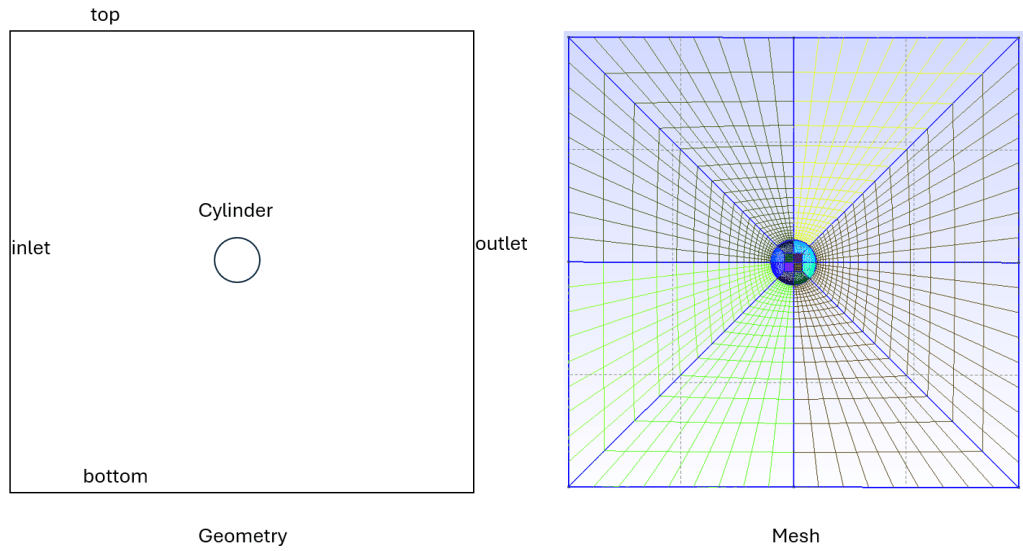
There are four main steps:
- Create geometry in spaceclaim
- Export step file (stp)
- Import step file to Gmsh, then export Geo file.
- Modify geo file and generate msh file from Gmsh.
Step1: Create geometry in SpaceClaim
Open SpaceClaim -> new design -> sketch
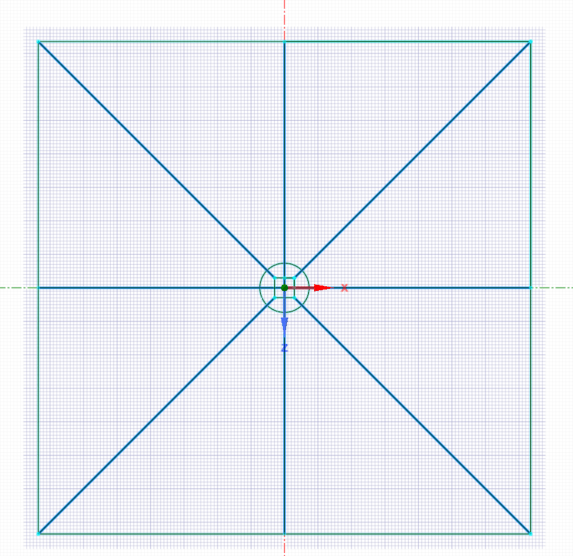
End Sketch -> Surface -> Detach All to get sub surface.
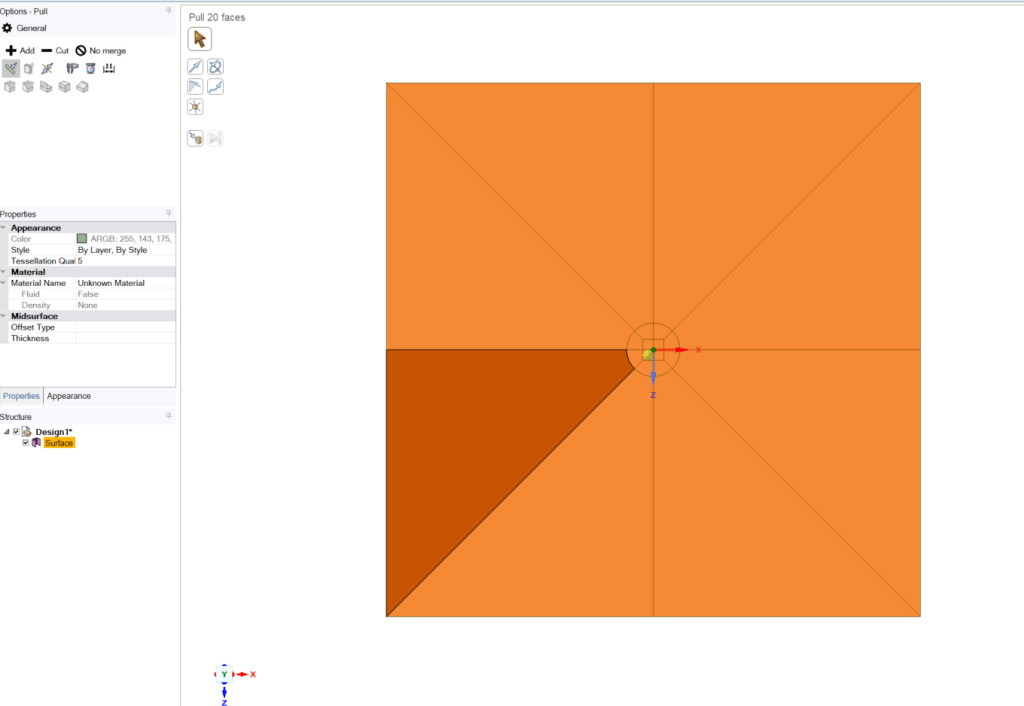
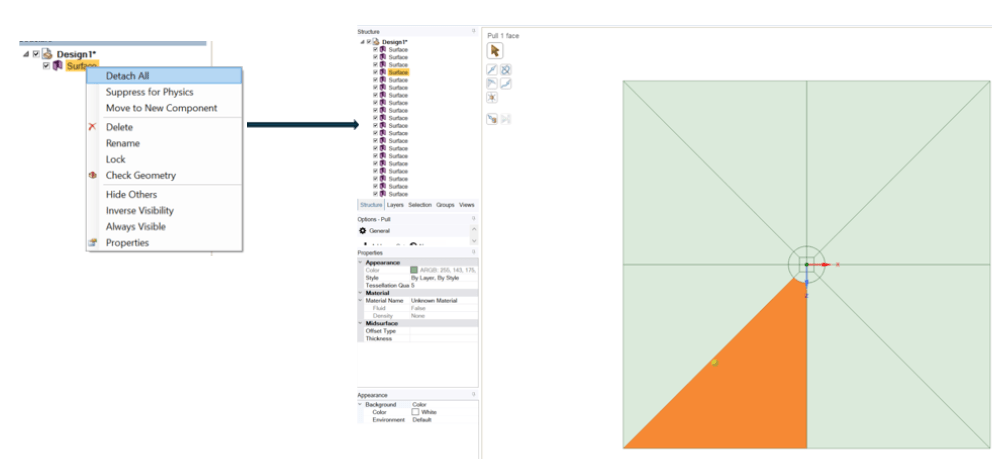
IMPORTANT NOTES: To create structure mesh each face should have 8 vertices.
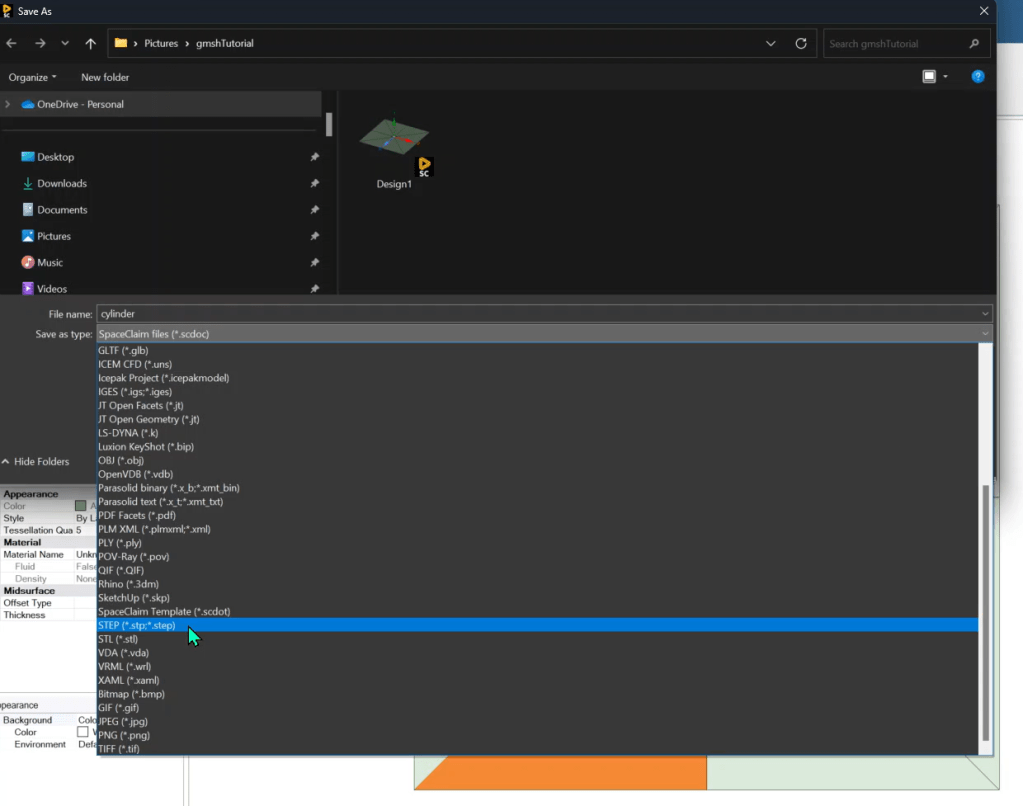
Step2: Export step file -> cylinder.stp
Step3: Import step file to Gmsh, then export Geo file (cylinder.geo).
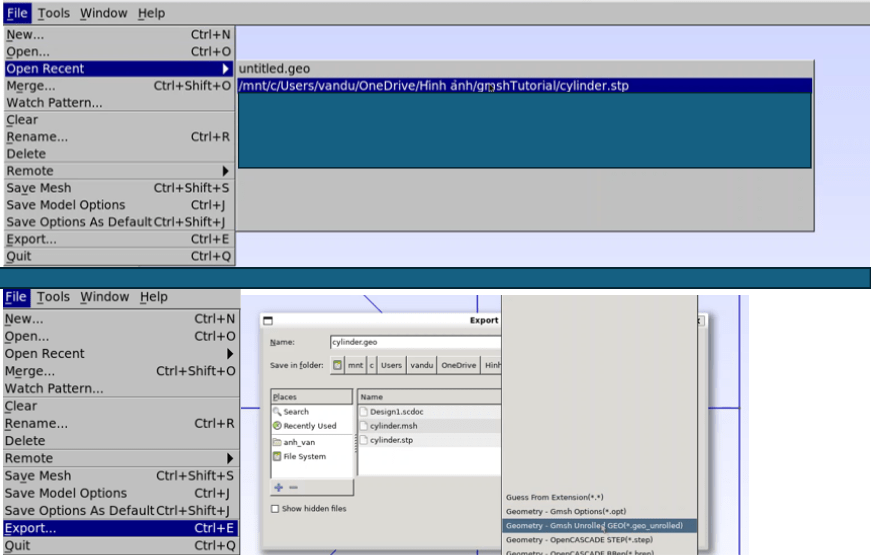
Step4: Modify geo file and generate msh file from Gmsh.
- change cl__1 value to 1
- add “Coherence;” to eliminate duplicated vertices or lines
- Transfinte line
- Transfite surface
- Extrude surface
- Create boundary name
- Export to msh file
Transfinite Line {75,71, 65, 28, 26, 4, 2, 20, 18, 12, 10, 44, 42, 52, 50, 60, 58, 66, 36, 34, 24, 56, 48, 40, 32, 64, 8, 16} = 10 Using Progression 1;
//+
Transfinite Line {-19, -11, -3, 1, 51, -43, -35, 27} = 20 Using Progression 1.2;
//+
Transfinite Line {21, 13, 5, -7, -53, 45, 37, -29} = 20 Using Progression 1.2;
For i In {1:20}
	Transfinite Surface {i};
	Recombine Surface {i};
EndFor

//+
For i In {1:20}
	Extrude{0,1000,0}{
		Surface {i};
		Layers{1};
		Recombine;
	}
EndFor


//+
Physical Surface("inlet") = {250, 286};
//+
Physical Surface("outlet") = {110, 426};
//+
Physical Surface("top") = {198, 154};
//+
Physical Surface("bottom") = {330, 382};
//+
Physical Surface("topAndBottom") = {207, 163, 119, 427, 383, 339, 295, 251, 8, 6, 4, 2, 16, 14, 12, 10};
//+
Physical Surface("cylinder") = {185, 141, 97, 405, 361, 317, 273, 229, 493, 515, 471, 449, 13, 11, 15, 1, 17, 18, 20, 19, 9, 7, 3, 5};
//+
Physical Volume("fluid") = {16, 14, 10, 12, 2, 4, 6, 8};
//+
Physical Volume("mem") = {15, 13, 11, 9, 7, 5, 3, 1, 20, 17, 18, 19};
Detail of the process can be found in this link https://youtu.be/b_i7zieCfIY.
If you have any questions please lets me know in the comments!

 Have a nice day :))) !
Leave a comment